Recover time
Reopen a full project context in seconds instead of rebuilding tabs manually from memory.
Built for focused browser work
GroupFlow helps PMs, developers, marketers, and researchers capture links instantly, organize them by folder, and relaunch project context in seconds without noise.
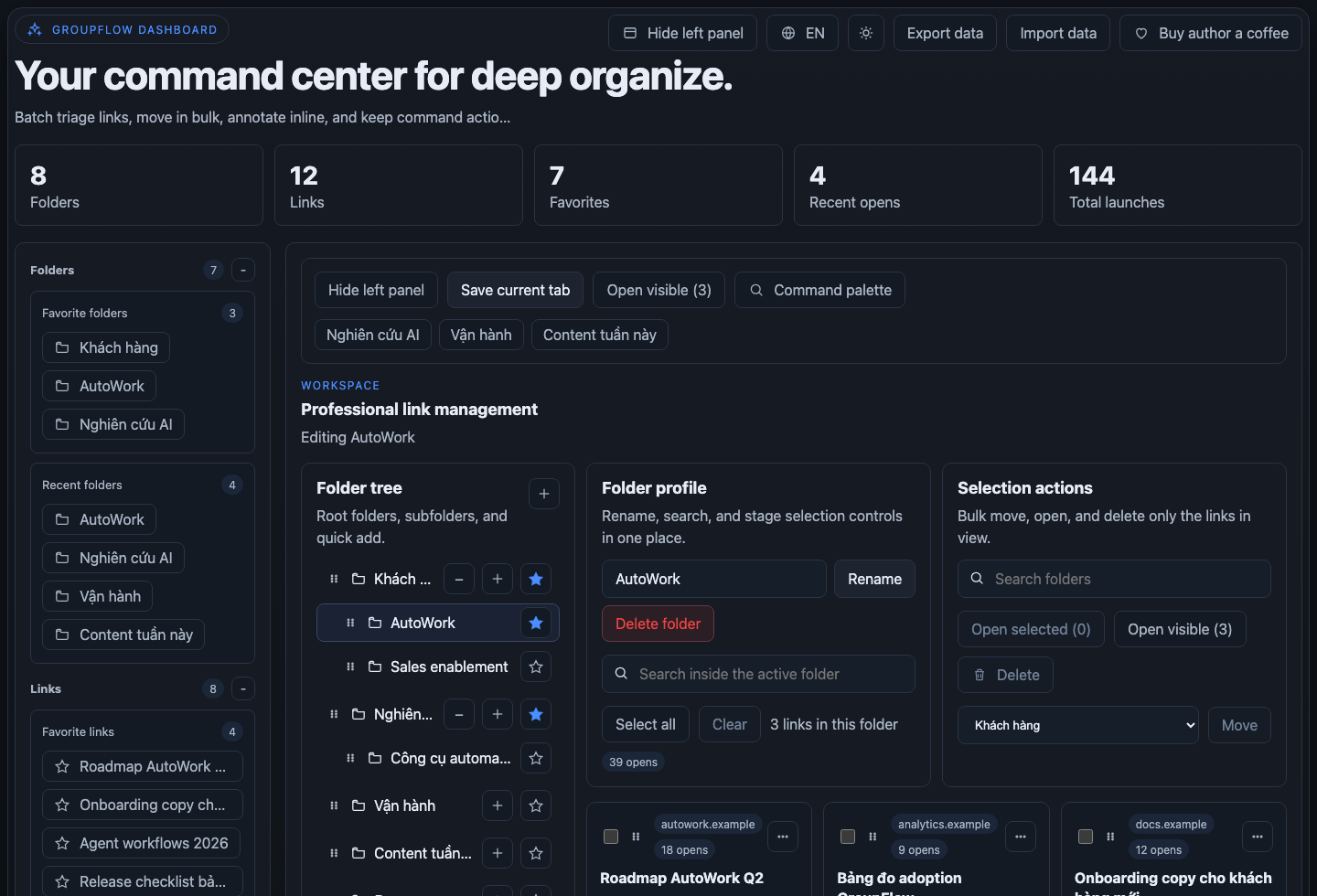
Not a generic tab dump. GroupFlow is a precision tool for repeatable project execution.
Reopen a full project context in seconds instead of rebuilding tabs manually from memory.
Keep your browser clean while preserving every critical source in a high-clarity folder system.
Turn recurring tasks into reusable link workspaces for execution, handoff, and review.
A simple but powerful loop that upgrades day-to-day browser work quality.
Save current tab or full window at the exact moment you discover useful context.
Organize links by folder, annotate key context, and keep priority references at hand.
Open selected links, filtered lists, or complete folders to restart execution instantly.
| Criteria | Manual (bookmarks + memory) | GroupFlow |
|---|---|---|
| Fast capture during research | Multi-step, easy to miss links | One-click save current tab/all tabs |
| Project-based organization | Hard to keep consistency at scale | Folder + subfolder + notes + favorites |
| Context restoration | Reopen links manually one by one | Open selected / visible / full folder |
| Library cleanup | Slow and repetitive | Bulk move/delete + duplicate handling |
Practical positioning for personal project workflows, without absolute ranking claims.
| Criteria | GroupFlow | OneTab | Workona | Tablerone |
|---|---|---|---|---|
| Folder-first context organization | Primary focus | Basic list workflow | Strong workspace model | Moderate |
| Flexible reopening modes | Selected / visible / folder | Mainly list restore | Strong in workspace reopen | Good |
| Balanced simplicity for individuals | Fast and structured | Minimalistic | Feature-rich, heavier setup | Session-centric |
When you manage many tabs per project and need to return to that context multiple times every week.
Yes. Use JSON import/export in Dashboard to back up and restore on another browser profile or device.
Yes. Build campaign/topic folders, save source clusters, and reopen them in focused batches.
Replace tab chaos with a high-precision operating system for project context.